
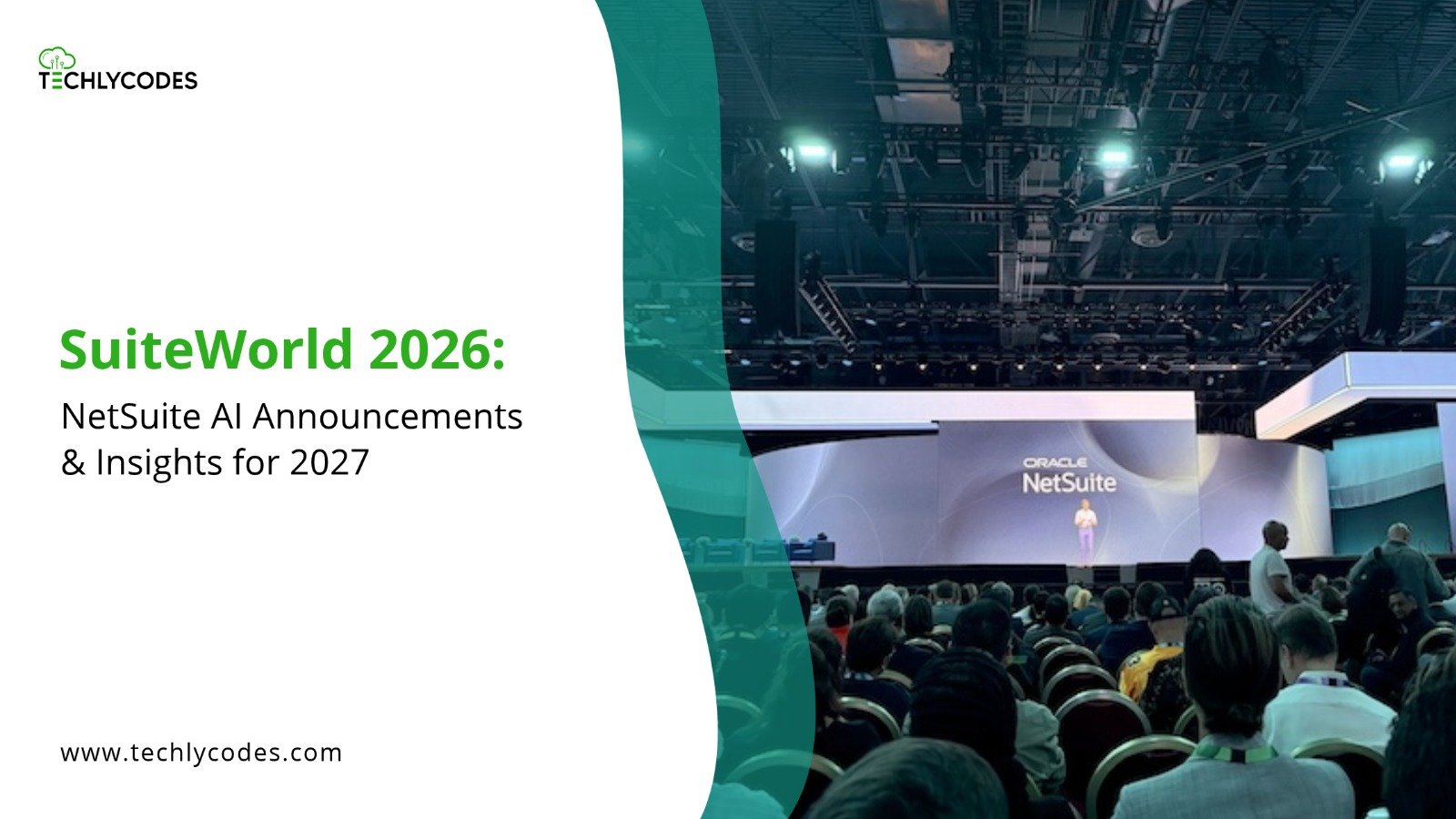
Held in Las Vegas from October 25 to 28, the annual event introduced new capabilities under NetSuite’s vision for an Autonomous Suite. These included more than 45 SuiteSkills, AI Workspaces, AI Portlets, industry-specific SuiteAgents and updates to Ask Oracle.
For businesses already running NetSuite, these developments raise a practical question: how will AI change the way finance and operations teams work, and what needs to happen before companies can make use of it?
This article looks at the key announcements from SuiteWorld 2026, their business applications and what existing NetSuite users should consider before adopting the new capabilities.
| Table of Contents What Is SuiteWorld 2026? NetSuite’s Autonomous Suite: What Has Changed? Key NetSuite AI Announcements from SuiteWorld 2026 How These AI Developments Could Change Everyday Business Operations What Existing NetSuite Users Should Prepare For How TechlyCodes Can Help Businesses Prepare for AI in NetSuite Frequently Asked Questions Final Thought |
What Is SuiteWorld 2026?
SuiteWorld is Oracle NetSuite’s annual conference for customers, partners, developers and business leaders. It provides a platform for product announcements, technical sessions, demonstrations and discussions about the future of the NetSuite ecosystem.
The 2026 edition took place in Las Vegas from October 25 to 28. This year’s announcements centred on making AI a more active part of business management.
Rather than treating AI as a separate tool, NetSuite is working towards embedding it into financial management, inventory, sales, project operations and other business processes.
The central idea was straightforward: AI should do more than retrieve information. It should help employees understand what is happening in the business and move towards the next appropriate action.
NetSuite’s Autonomous Suite: What Has Changed?
The Autonomous Suite is NetSuite’s broader vision for connecting business information, AI capabilities and process execution.
Traditionally, ERP systems have helped businesses record transactions, generate reports and manage workflows. Employees still spend time reviewing information, identifying exceptions and deciding what to do next.
NetSuite’s new direction aims to reduce some of that manual work.
For example, instead of manually reviewing several financial reports to understand a change in account balances, a finance employee could use AI to investigate the variance and prepare an explanation. Similarly, an operations team could use AI-generated insights to understand inventory movement or identify fulfilment issues.
The important distinction is that AI is moving closer to the actual business process.
However, being autonomous does not mean that every business decision will happen without human involvement. Access permissions, approval requirements and oversight remain important, particularly when AI interacts with financial or operational records.
Key NetSuite AI Announcements from SuiteWorld 2026
The event introduced several capabilities that could change how businesses interact with their ERP systems. Here are the announcements worth understanding.
1. SuiteSkills: Giving AI Business-Specific Knowledge
One of the major announcements was the introduction of more than 45 SuiteSkills.
These prebuilt AI capabilities combine business process knowledge with NetSuite’s financial and operational information. Their purpose is to help AI handle specific tasks rather than respond only to general questions.
The announced skills cover six broad business areas:
- Financial analysis and financial close: Help teams investigate account variances and identify issues affecting the close process.
- Billing and cash flow: Support the identification of potential revenue leakage, overdue receivables and liquidity concerns.
- Inventory and fulfilment: Help businesses understand inventory movements and investigate fulfilment exceptions.
- Projects and service delivery: Support project planning, resource allocation and task preparation.
- Sales and customer service: Help teams review customer information and prepare relevant responses or next steps.
- Workforce management: Assist with labour cost analysis and time-to-pay reconciliation.
Consider a finance team investigating why expenses increased compared with the previous month. Instead of starting with several reports, an appropriate SuiteSkill could help identify the changes and provide context for further review.
The employee can then investigate the explanation and decide what action is required.
2. AI Portlets: Making Dashboards More Useful
NetSuite also introduced AI Portlets, which allow users to generate dashboard analysis, charts and available actions through natural-language requests.
This changes how employees can approach dashboard reporting.
For example, a finance manager may want to review overdue receivables by customer group or compare actual sales against projected figures. Instead of manually building a new dashboard view, the user can describe the information needed in a natural-language request.
AI Portlets are designed to generate the relevant analysis and visual presentation.
For businesses, the value is not simply having more charts. It is making relevant information easier to access without depending on someone to build every report from scratch.
3. AI Workspaces: Bringing People, Data and Tasks Together
AI Workspaces take the concept further by bringing employees, AI agents, business information and approvals into a shared environment.
One example announced by NetSuite is the Autonomous Close workspace.
Month-end close involves several connected activities, including account reconciliations, journal reviews, supporting documentation and approvals. Delays in one activity can affect the entire process.
An AI Workspace is intended to help teams monitor these activities, understand dependencies and identify issues that need attention.
The longer-term direction is to move away from treating the financial close as a task that happens only at the end of the month. Instead, businesses can work towards identifying and resolving accounting issues throughout the period.
4. SuiteAgents and SuiteAgent Studio: Moving Towards Task Execution
Another important development is the expansion of NetSuite’s AI agent capabilities.
SuiteAgents are designed to support specific business goals using relevant data, process knowledge and configured permissions.
NetSuite announced industry-specific agents for software, product, healthcare, construction and nonprofit organisations. Their intended applications include improving inventory efficiency, identifying revenue-related issues, managing supply risks and supporting project profitability.
The event also introduced SuiteAgent Studio, which is designed to let users create and configure their own AI agents by defining instructions, tools, triggers and execution roles.
SuiteFlow Agent was also announced to help administrators and power users create workflows using natural-language requests.
For example, an administrator could describe a requirement such as making a field read-only under certain conditions. The proposed workflow can then be reviewed before it is created.
These developments could reduce some of the manual effort involved in configuring repetitive processes. However, businesses will still need to define the rules, access permissions and approval requirements that govern how these agents operate.
5. Ask Oracle and Connected Business Information
Ask Oracle is NetSuite’s conversational AI assistant. It allows users to interact with business information through natural-language requests.
Employees can ask questions about records, generate reports, explore data and receive contextual insights without navigating through multiple menus.
SuiteWorld also introduced Ask Oracle Connectors, intended to extend the assistant’s access to information and actions across supported business applications and external sources.
This is particularly relevant for businesses that use several connected platforms.
For example, a team may need to review information from NetSuite alongside documents or data held in another business application. Connected information can help employees investigate an issue without treating each system as a separate source of information.
The important consideration is how these connections are configured and which actions users are authorised to perform.
6. SuiteExpress: AI-Assisted NetSuite Implementation
SuiteExpress is another announcement worth watching, particularly for businesses planning a new NetSuite implementation or looking to improve an existing setup.
It combines customer-specific information with NetSuite product and implementation knowledge to support activities such as requirements gathering, identifying data gaps, recommending configurations and preparing test cases.
This could reduce repetitive preparation work during an implementation project.
However, an implementation still requires business decisions. A tool can help organise requirements and suggest configurations, but the implementation team must validate whether those recommendations suit the company’s processes, reporting needs and operational structure.
Oracle announced SuiteExpress availability for software-industry customers in the US and Canada. Businesses in other markets should verify availability before including it in their implementation plans.
How These AI Developments Could Change Everyday Business Operations?
The announcements become more meaningful when viewed through everyday business situations.
Here are a few examples of where the new capabilities could make a difference.
| Business function | Potential application |
| Finance | Investigating financial variances and identifying issues affecting month-end close |
| Accounts receivable | Highlighting overdue invoices and potential revenue leakage |
| Inventory | Understanding stock movement and investigating fulfilment exceptions |
| Procurement | Supporting workflow creation and reviewing purchasing information |
| Project management | Identifying resource requirements and monitoring project-related issues |
| Customer service | Preparing responses using relevant customer and case information |
These examples show how AI could support different teams within the same ERP environment.
The benefit will depend on the quality of business information, the processes configured in NetSuite and how employees use the recommendations.
What Existing NetSuite Users Should Prepare For?
The new capabilities may sound straightforward, but adopting AI within an existing ERP environment requires some preparation.
A business should not enable new AI features simply because they are available. It should first understand whether its current setup can support the intended use cases.
Here are five areas worth reviewing.
1. Review Existing Business Processes
Start by identifying tasks that consume unnecessary time or involve repeated manual work.
For one business, this could be financial variance reviews. For another, it may be inventory reconciliation, purchase approvals or project reporting.
Prioritise problems that have a clear business impact rather than trying to introduce AI across every department at once.
2. Check Data Quality and Consistency
AI-generated insights are only useful when the underlying information is reliable.
Review duplicate records, incomplete fields, inconsistent naming conventions and outdated transaction information.
If departments use different methods to record similar transactions, the system may struggle to produce consistent insights.
Data preparation should therefore be part of any AI adoption plan.
3. Review Customisations and Integrations
Many businesses have customised NetSuite to support their specific operations. These may include SuiteScript, SuiteFlow workflows, custom records, saved searches and third-party integrations.
Before introducing new AI-driven processes, review how these elements interact.
For example, an existing approval workflow may already control purchase orders or vendor payments. Any new AI-assisted process should complement those controls rather than create a separate route that bypasses them.
4. Define Permissions and Approval Rules
AI should not have unrestricted access to business records or transaction actions.
Review role-based permissions and decide which activities can be automated, which require employee approval and which should remain restricted.
Financial transactions, vendor payments, employee information and sensitive business records deserve particular attention.
5. Start With a Small, Measurable Use Case
Rather than introducing several AI capabilities at once, begin with one process where the expected benefit can be measured.
For example, a company could test AI-assisted financial analysis or inventory exception reporting.
Measure how much time the process takes before and after adoption, whether the results are accurate and how much manual review is still required.
This gives the business a clearer basis for expanding AI use across other departments.
How Techly Codes Can Help Businesses Prepare for AI in NetSuite
The announcements from SuiteWorld 2026 point towards a more connected and AI-driven NetSuite environment. But getting value from these developments will involve more than switching on new features.
Businesses need to understand how their current ERP configuration supports their processes, where customisations are required and whether their integrations and data structures are ready for new capabilities.
This is where the right technical support matters.
Techly Codes helps businesses assess and improve their NetSuite environments through consulting, customization and integration services.
Our team can support businesses with:
- NetSuite consulting: Reviewing existing processes, identifying system gaps and planning improvements based on business requirements.
- NetSuite customization: Adapting workflows, scripts, records and system functionality to support specific operational needs.
- NetSuite integrations: Connecting NetSuite with other business applications and reviewing how information moves between systems.
- Ongoing optimization: Reviewing existing configurations and identifying opportunities to improve system performance and usability.
For businesses considering the new AI capabilities, the first step is to understand what their current NetSuite environment can support.
Explore TechlyCodes’ NetSuite Consulting Services or learn more about our NetSuite Customization Services.
Final Thoughts
SuiteWorld 2026 showed that NetSuite’s AI direction is moving beyond answering questions and generating reports. The focus is increasingly on helping teams investigate business issues, coordinate work and take action within their ERP environment.
For existing NetSuite users, the opportunity is significant, but the preparation matters just as much as the technology. Reliable data, well-designed workflows, appropriate permissions and carefully reviewed customisations will influence how effectively businesses can use these capabilities.
The next step is not necessarily to automate everything. It is to identify where AI can solve a real business problem and make sure the underlying NetSuite environment is ready to support it.
Frequently Ask Question
Q.1 What is SuiteWorld 2026?
ANS: SuiteWorld 2026 was Oracle NetSuite’s annual conference, held in Las Vegas from October 25 to 28, 2026. The event focused on NetSuite’s AI roadmap, including the Autonomous Suite vision, SuiteSkills, AI Workspaces, AI Portlets and industry-specific SuiteAgents.
Q.2 What were the major NetSuite AI announcements at SuiteWorld 2026?
ANS: Major announcements included more than 45 SuiteSkills, AI Portlets, AI Workspaces, industry-specific SuiteAgents, SuiteAgent Studio, SuiteFlow Agent, Ask Oracle Connectors and SuiteExpress. These developments aim to bring AI further into business analysis, workflow management and process execution.
Q.3 What is NetSuite’s Autonomous Suite?
ANS: The Autonomous Suite is NetSuite’s vision for an ERP environment where AI can understand business context, identify issues, recommend actions and help execute tasks across business processes. It combines business information, AI skills and agents while retaining configured permissions and approval controls.
Q.4 What are NetSuite SuiteSkills?
ANS: SuiteSkills are prebuilt AI capabilities designed for specific business activities. They combine NetSuite business information with process knowledge to support tasks such as financial analysis, cash flow reviews, inventory investigation, project operations and customer service.
Q.5 What is the difference between AI Portlets and AI Workspaces?
ANS: AI Portlets generate dashboard analysis, charts and available actions based on natural-language requests. AI Workspaces bring people, agents, information and approvals together around a broader business process, such as financial close.
Q.6 Will existing NetSuite users need to Reimplement their ERP to adopt NetSuite Next?
ANS: No. Oracle’s NetSuite Next rollout information states that customers can adopt the new experience without migrating their data or reimplementing their ERP. Existing data, roles, permissions, customisations and workflows are retained. Businesses should still review their configurations and test their processes before adopting new capabilities.
Q.7 How can businesses prepare their NetSuite system for AI?
ANS: Businesses should review data quality, existing workflows, customisations, integrations and role-based permissions. Starting with a specific business use case and testing the results before wider adoption can also help reduce implementation risks.
Leave a Reply